Billing
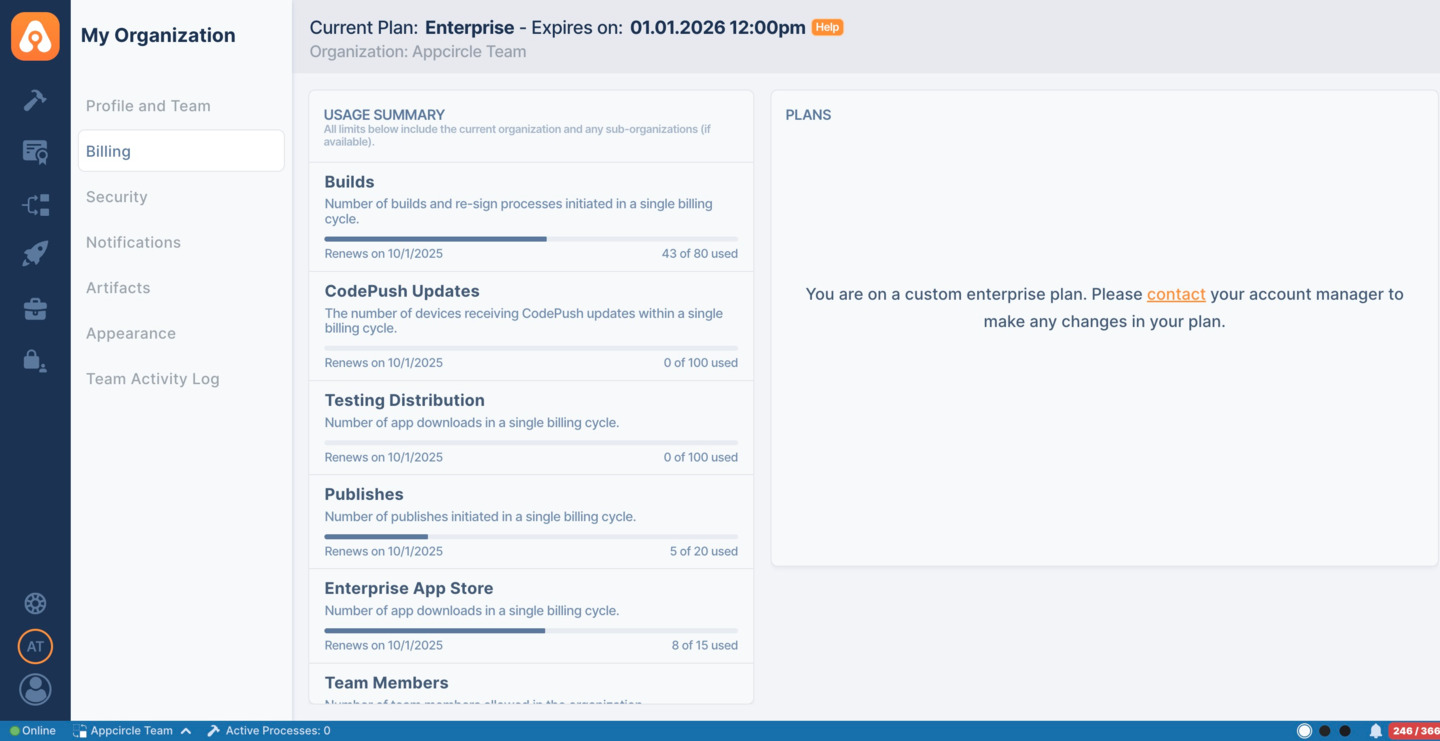
The Billing section allows you to monitor your usage summary, including builds, publishes, team members, and other module usages. You can also view your license plan and renewal date of your account.
Usage Summary
- Builds : Number of builds initiated from the build module in a single billing cycle.
- Code Push Updates : The number of devices receiving CodePush updates within a single billing cycle.
- Testing Distribution : Number of app downloads from the Testing Portal in a single billing cycle.
- Publish to Stores : Number of publishes initiated from the Publish to Stores module in a single billing cycle. For the operations that count against this number, see Publish Usage Details
- Enterprise App Store : Number of app downloads from the Enterprise App Store in a single billing cycle.
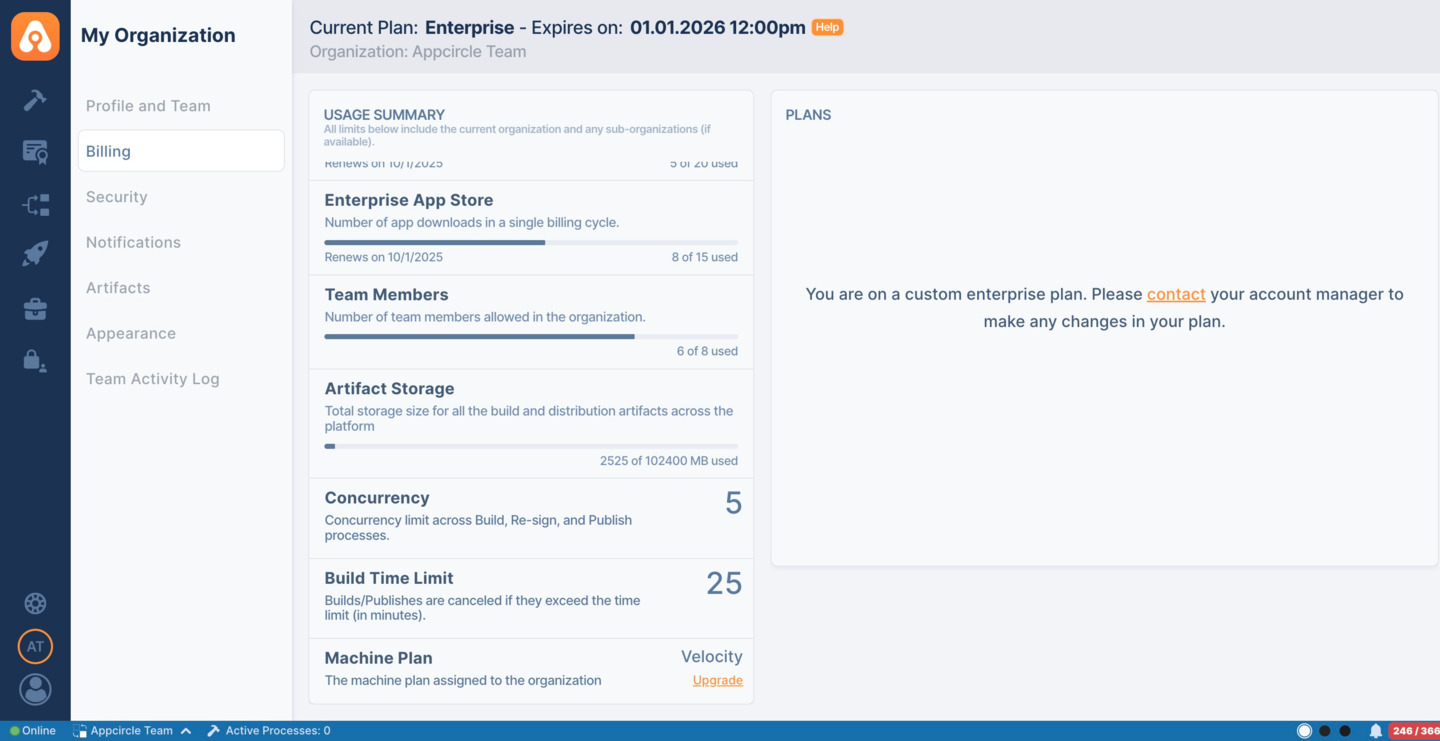
- Team Members : Number of team members allowed in a single organization.
- Artifact Storage : Total storage size for all the build and distribution artifacts across the platform.
- Build Concurrency : Number of builds that can run simultaneously.
- Build Time Limit : Number of minutes allowed per build and publish before it is automatically cancelled with a timeout status.
- Machine Plan : Indicates the Machine Plan assigned to the organization.
Please note that the module usage counts displayed here, such as builds, testing distribution, and publishes, represent the combined totals for the organization and its sub-organizations.
When the usage limits exceed 85% of the allocated quota, notification emails will be sent to the organization’s Owner and the Billing Manager.
Publish Usage Details
The following operations increase publish usage:
- Restarting a publish with the Restart or Play button in the Appcircle dashboard, or with a restart call through the API.
- Starting the same publish again from the first step, either in the Appcircle dashboard or through the API. This is not a restart operation, but the publish runs from the beginning, so it counts as a new publish.
In both cases, usage is counted only when the publish start event is received, which means the job must be picked up by a runner. Server-side components do not use a runner or a queue, so their usage is counted at the moment the operation is performed. The same rules apply: restarting a publish or starting it from the first step increases usage.
The following operations do not increase publish usage:
- Publish jobs that are not picked up by a runner and remain in the queue. They appear in the Publish Report as a single item with the Waiting status.
- Publishes started from an intermediate step, because they continue from where they left off.
- Queued jobs that move to the Canceled, Timed Out, or Stopped status without ever being picked up.
Publish Report and Usage
The Publish Report lists every publish attempt, so an entry in the report does not always mean that your usage increased.
- Waiting publishes appear in the Publish Report without affecting usage. If a waiting publish is canceled or times out before it starts, only its status is updated in the report and usage does not increase.
- Publishes started from an intermediate step update the status of the existing report item. No new item is added and usage does not increase.
Sub-Organization Usage
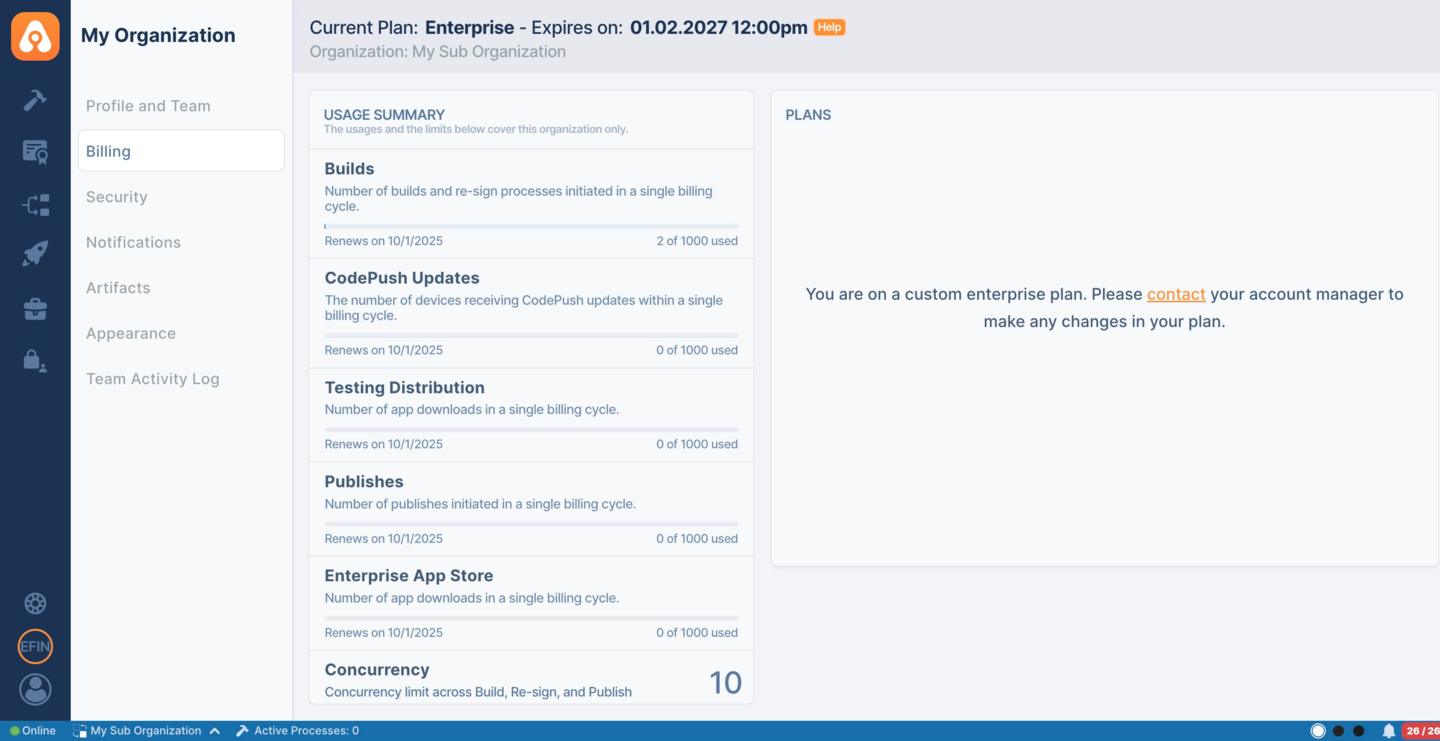
The Billing page for a Sub-Organization displays the same summary metrics as the root organization, except for:
- Team Members
- Artifact Storage
The usage counts shown on this page reflect only the usage of the Sub-Organization. To view overall usage against limits, please refer to the Billing page of the root organization.